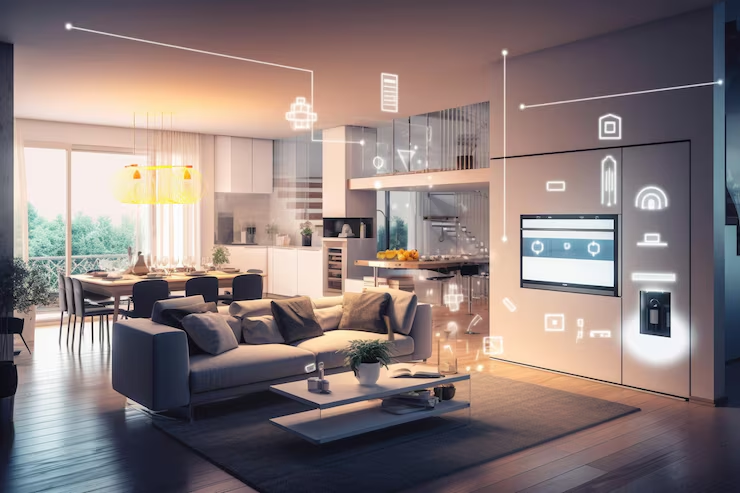
Understanding Smart Lock Technology and Benefits
In the age of rapid technological advancement, the Smart lock has emerged as a cornerstone of modern home security. These locks leverage innovative technology to enhance convenience and safety for homeowners. By replacing traditional locking mechanisms, smart locks offer a myriad of features designed to simplify access and monitoring while ensuring robust security.
Overview of Smart Lock Features
Smart locks come equipped with a variety of sophisticated features that set them apart from conventional locks:
- Keyless Entry: Most smart locks allow homeowners to unlock their doors without physical keys, relying on smartphones or codes instead.
- Remote Access: Many models enable users to control door access from anywhere in the world via a smartphone app.
- Activity Monitoring: Users can track who enters and exits their homes, providing important insights into household activity.
- Temporary Access: Homeowners can grant virtual keys to visitors or service personnel, with the option to revoke access seamlessly.
Key Advantages of Using Smart Lock
Adopting a smart lock system offers numerous advantages:
- Enhanced Security: Many smart locks come with encryption technology and alerts for unauthorized access attempts.
- Convenience: Users can enter their homes without fumbling for keys, especially useful when carrying groceries or children.
- Customizable Access: Homeowners can tailor access permissions for family members, friends, or service providers, creating a flexible security solution.
- Integration with Smart Home Systems: Smart locks can connect with other smart devices, enabling full home automation.
Common Misconceptions about Smart Lock
Despite their increasing popularity, several misconceptions surround smart locks:
- Too Expensive: While some high-end models can be pricier, many affordable options offer extensive functionality.
- Vulnerability to Hacking: Although valid concerns exist, reputable smart locks employ advanced encryption methods to bolster security.
- Complicated Setup: Many smart locks feature user-friendly installation processes, often completed in a few easy steps.
How to Select the Best Smart Lock
Selecting the right smart lock can significantly enhance home security. Understanding individual requirements is crucial in making an informed choice.
Assessing Your Home Security Requirements
Before purchasing a smart lock, evaluate your specific security needs. Consider aspects such as the home’s location, existing security measures, and potential threats. Homes in high-crime areas may benefit from locks with added security features like alarm notifications or two-factor authentication.
Deciding on Smart Lock Compatible Technologies
Consider how well the smart lock integrates with your existing technology. Popular options include:
- Bluetooth: Useful for close-range access through a paired device.
- Wi-Fi: Enables remote access from anywhere, provided you have an internet connection.
- Z-Wave/Zigbee: Works well within smart home ecosystems, allowing centralized control.
Evaluating Smart Lock Pricing Options
Smart locks vary significantly in price, from budget-friendly models to premium versions. Assess what features are necessary for your home security, and compare prices among different brands. Ensure any options chosen provide adequate durability and reliability.
Installation and Setup Guide for Smart Lock
Installing a smart lock may seem daunting, but many models come with clear instructions that simplify the process. Below is a step-by-step guide for successful installation:
Step-by-Step Smart Lock Installation Process
1. Gather Tools: Most installations require basic tools, including a screwdriver and possibly a drill.
2. Remove Existing Lock: Use a screwdriver to take out your current locking system.
3. Install the New Lock: Follow the instructions for your specific model to fit the new smart lock securely.
4. Attach the Keypad or Connect Device: Ensure that the keypad or other connecting devices are mounted according to specifications.
Connecting Smart Lock to Your Home Network
After installation, link your smart lock to your home Wi-Fi or Bluetooth network. Access the corresponding app, and follow prompts to establish the connection. If using Wi-Fi, ensure to check your password before proceeding to avoid connectivity issues.
Testing Your Smart Lock Functionality
Once connected, test the functionality of your smart lock. Check if:
- You can lock and unlock remotely.
- Alerts and notifications function as intended.
- The keyless entry works flawlessly.
Maintaining Your Smart Lock for Longevity
Regular maintenance is essential for the longevity of your smart lock. Simple, periodic checks can help keep it functioning optimally.
Regular Maintenance Tips for Smart Lock
To ensure optimal functioning, consider the following tips:
- Check battery levels: Replace batteries as needed to avoid sudden lockouts.
- Clean the lock: Use a soft cloth to remove debris and dust.
- Inspect hardware: Regularly ensure all screws and fasteners are secure.
Security Updates and Firmware Management
Just like any other connected device, smart locks require firmware updates to enhance security. Regularly check for any updates via the manufacturer’s app and ensure that your lock’s software remains current to mitigate vulnerabilities.
Identifying Common Issues with Smart Lock
Common problems can include connectivity issues or operational failures. If your smart lock isn’t responding, first try resetting it according to the user manual. If problems persist, consult customer service for troubleshooting steps.
Addressing Security Concerns with Smart Lock
While smart locks enhance security, they can also introduce vulnerabilities. Understanding these risks is crucial.
Potential Risks of Smart Lock Systems
Common concerns include:
- Hacking: A potential risk exists if locks are not properly secured with strong passwords and encryption.
- Power Outages: Some locks lose functionality without power unless they have backup features.
- Physical Tampering: Breaches can occur if locks are not installed or manufactured correctly.
Enhancing Security Measures for Smart Lock
To further improve security, consider enabling two-factor authentication, using strong, unique passwords, and setting up alerts for unauthorized entry attempts. Integrating your smart lock with a home security system can also provide an additional layer of protection.
Responding to Smart Lock Malfunctions
In case of a malfunction, first, refer to the troubleshooting section of your user manual. Common solutions include rebooting the lock, checking battery levels, and ensuring a strong Wi-Fi connection. If persistent issues arise, contacting customer support is advisable.
Frequently Asked Questions
1. How secure are smart locks?
Smart locks are secure if they use strong encryption and follow best practices. However, it’s crucial to keep software updated.
2. Can smart locks work without Wi-Fi?
Many smart locks can function via Bluetooth without Wi-Fi. However, remote features require a Wi-Fi connection.
3. Do smart locks have backup options?
Most smart locks feature a backup key or mechanical lock option for emergencies when smart features fail.
4. Are smart locks easy to install?
Smart locks are generally designed for easy installation. With basic tools, installation often takes under an hour.
5. Can I use my smartphone with any smart lock?
Not all smart locks support every smartphone. Verify compatibility with the manufacturer’s specifications before purchase.