What is Virtual Desktop?
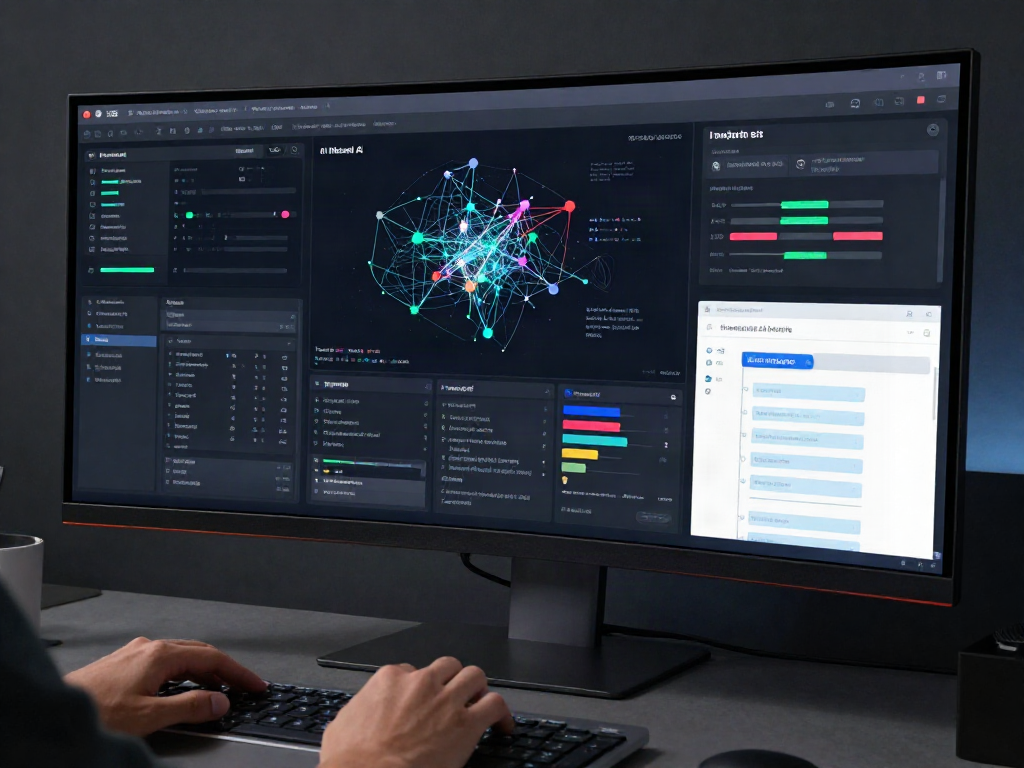
The concept of a virtual desktop centers around the use of software to create a virtualized container for a desktop computing environment. This technology allows users to run a desktop interface from virtually any device while interacting with applications and resources as if they were operating on a traditional physical setup. Whether in a corporate setting, educational institution, or remote work environment, the ability to access a virtual desktop enhances flexibility and mobility, paving the way for innovations in work-life balance.
Defining Virtual Desktop Technologies
Virtual desktop technologies encapsulate various solutions providing users with remote access to desktop environments and applications. The technology typically employs virtualization mechanisms to separate the desktop environment from the physical hardware, meaning users don't have to rely on specific hardware to access their data or applications. This segmentation leads to a more flexible, scalable, and purely digital user experience, thereby allowing everything from simple productivity applications to complex software suites to be accessed remotely.
Key Features of a Virtual Desktop
- Remote Access: One of the most significant advantages of a virtual desktop is its ability to provide access to desktops and applications from anywhere on the globe, as long as there is an internet connection.
- Multi-Device Compatibility: Users can access their virtual desktops from various devices, including laptops, tablets, or even smartphones, ensuring that they can work seamlessly without being tethered to a single machine.
- Enhanced Scalability: Businesses can quickly scale their desktop resources up or down according to fluctuating needs, making it easy to onboard new employees or adjust to seasonally high workloads.
- Centralized Management: IT administrators can manage software and security policies from a centralized location, enhancing control over the user environment while simplifying maintenance and support tasks.
- Strong Security Features: Virtual desktops often incorporate extensive security protocols, including data encryption, user authentication mechanisms, and direct integration with enterprise-grade security tools to protect sensitive information.
Benefits of Using a Virtual Desktop
The benefits of implementing a virtual desktop solution extend across numerous domains, improving efficiency, security, and user satisfaction. Notably:
- Cost Reduction: Virtual desktops can often lower IT costs by reducing the need for physical hardware and management overhead, allowing organizations to reallocate resources more effectively.
- Improved Collaboration: Virtual desktops provide teams with a uniform innovation environment that fosters better collaboration, whether users are in the same office or spread across various locations.
- Faster Deployment: With preconfigured setups, IT departments can more rapidly deploy new desktops and applications to users, reducing downtime and improving productivity.
How Virtual Desktop Works
Fundamental Components of Virtual Desktop Solutions
A virtual desktop infrastructure (VDI) typically consists of key components that facilitate the delivery of virtual desktops. These components include:
- Hypervisor: The software that operates directly on the physical server and allows for the creation and management of virtual machines (VMs) hosting the virtual desktops.
- Virtual Machines: Isolated environments where users can install and operate applications, simulating a traditional desktop experience.
- User Devices: The hardware that users will utilize to access their virtual desktops, including laptops, desktops, tablets, or smartphones.
- Management Software: Tools used to deploy and oversee the virtual desktop environments, monitoring performance, security updates, and user access rights.
The Role of Virtualization in Virtual Desktop
Virtualization serves as the backbone of virtual desktop technology, allowing multiple virtual machines to coexist on a single physical machine while ensuring they operate independently. By utilizing a hypervisor to manage these resources efficiently, organizations can maximize hardware utilization while providing users with their own tailored resources. This capacity for isolation ensures that user activities remain discrete, enhancing security and personalization.
Connecting to a Virtual Desktop Remotely
Connecting to a virtual desktop is primarily executed through the use of client software that interacts with the server hosting the virtual machines. This software can usually be downloaded on any device, allowing users to log in securely. A critical part of establishing this connection is the encryption protocols, which help secure data transmission between the device and the server to safeguard sensitive company information while also enabling smooth user experiences.
Advantages of Virtual Desktop for Businesses
Cost-effectiveness and Resource Management
One primary advantage of moving to a virtual desktop model is cost-effectiveness. Businesses can save significant sums on hardware costs by utilizing existing devices and reducing the need for regular hardware upgrades. Virtual desktops also minimize physical space requirements in the office, translating to reduced operational expenses. Furthermore, centralized management capabilities aid in the efficient allocation of resources, optimizing both IT personnel time and infrastructure spend.
Increased Security Features
Security remains a paramount concern for organizations navigating today’s digital landscape. Virtual desktops enhance security features by isolating user sessions and employing advanced encryption techniques to protect data. In addition, centralized management enables IT departments to swiftly roll out security updates and controls across all users, ensuring a uniform security posture. With robust authentication measures, unauthorized access points can be effectively minimized, bolstering the overall integrity of the business's data.
Improving Employee Flexibility and Productivity
With the rise of remote work, employee flexibility has become integral to maintaining productivity. Virtual desktops allow employees to work from any location, effectively blurring the lines between work and personal environments. This accessibility empowers employees to maintain productivity in various situations, such as while traveling, and fosters better work-life balance. Furthermore, the streamlined access to resources and tools in virtual desktops enhances operational efficiency, allowing employees to focus more on core responsibilities rather than addressing IT complications.
Challenges in Implementing Virtual Desktop
Technical Limitations and System Requirements
Despite the numerous advantages, implementing a virtual desktop infrastructure can present challenges. Technical limitations, such as specific bandwidth requirements, can affect the performance of virtual desktops. Organizations must establish adequate network infrastructure capable of supporting multiple users accessing virtual environments simultaneously. Moreover, certain applications may require substantial resources, meaning businesses need to appropriately evaluate workloads and make necessary adjustments to system requirements.
User Adaptation and Training Necessities
Transitioning to a virtual desktop system may require considerable user training and adaptation. Employees accustomed to traditional desktop environments might face challenges understanding new workflows or functionalities present in virtual setups. Comprehensive training programs are essential to familiarize users with the changes, emphasizing usage best practices, potential pitfalls, and the advantages of the system. Fully equipping users with knowledge and resources will empower them to maximize the benefits of virtual desktop solutions.
Performance Issues and Solutions
Performance issues can arise from various factors, including server overload, insufficient bandwidth, or inadequate resource allocation for applications. Organizations should monitor usage trends and performance metrics to identify any bottlenecks proactively. Solutions may involve optimizing server resource distribution, improving network infrastructure, or utilizing load balancing strategies. Regular performance assessments can help maintain smooth operation and user satisfaction with the virtual desktop environment.
Future Trends in Virtual Desktop Technology
Emerging Technologies and Innovations
As technology evolves, virtual desktop solutions are continually being enhanced through emerging innovations. Artificial intelligence and machine learning are playing a significant role in personalizing user experiences, adapting resources as needed, and even predicting potential issues before they escalate. Furthermore, advancements in cloud computing establish more robust platforms for hosting virtual desktops, making it easier for organizations to leverage cutting-edge features rapidly.
The Impact of Cloud Computing on Virtual Desktops
Cloud computing is reshaping the virtual desktop landscape by offering companies scalable, pay-as-you-go models for accessing powerful computing resources. This shift toward cloud-based virtual desktop solutions means that organizations can leverage advanced infrastructure without bearing heavy upfront capital costs. Additionally, cloud-based solutions enhance flexibility, enabling quick updates and scalability to meet the changing demands of businesses.
Predictions for the Evolution of Virtual Desktop Solutions
Looking ahead, the future of virtual desktop technologies will likely encompass further integration with Internet of Things (IoT) devices, creating seamless workflows that interconnect various tools and interfaces. Increased focus on environmental sustainability will drive innovations to optimize resource usage further. As the hybrid work model continues to gain traction, demand for adaptable, resilient virtual desktop solutions will remain essential for organizations navigating changes in workforce dynamics.